
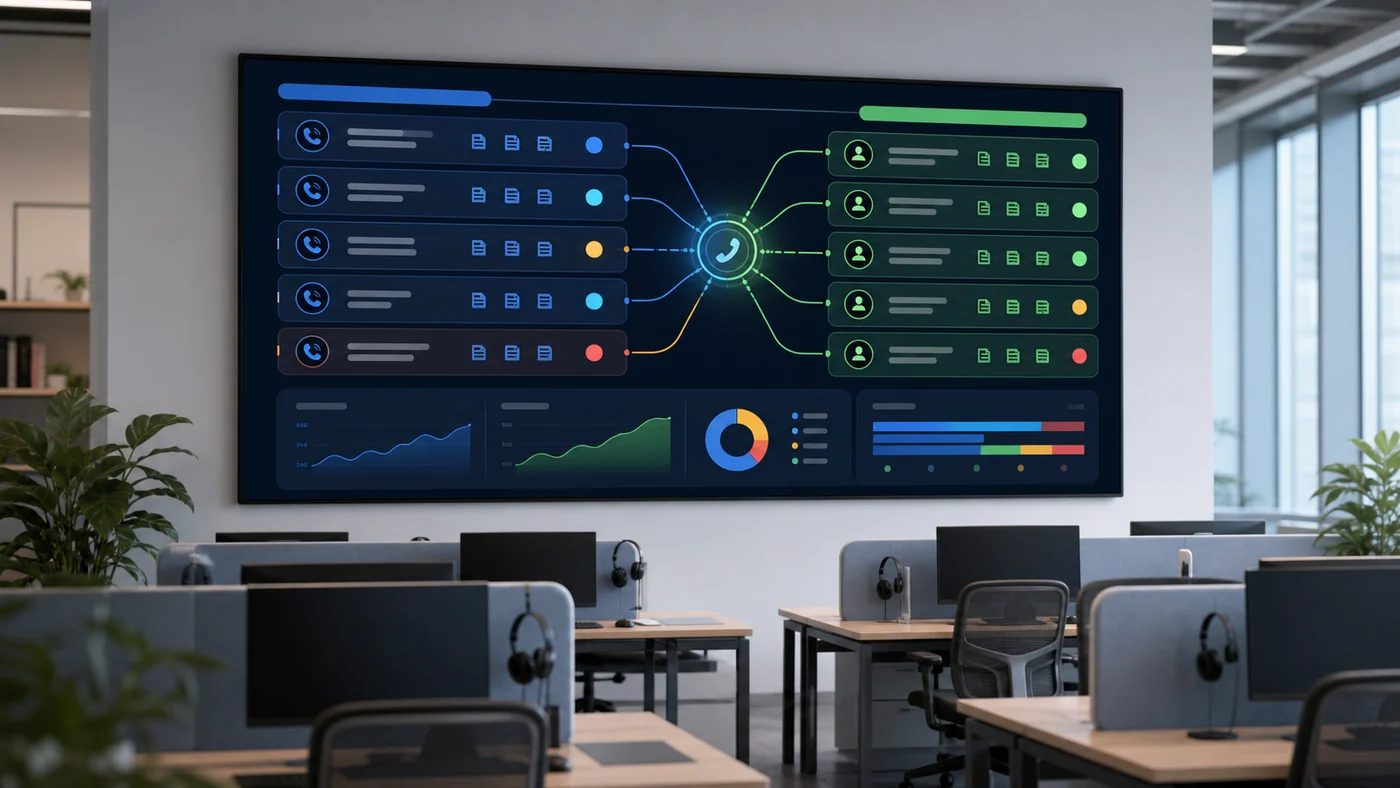
Handoff Is The Safety System
AI phone agents should not be judged only by automation rate. A high automation rate can be a bad sign if confused, angry, urgent, or high-value callers are kept inside the bot too long.
A good handoff system answers four questions:
- Who should receive the call?
- What does the human need to know before answering?
- What should the agent say while transferring?
- What happens if nobody is available?
For dental, legal, healthcare, home services, and restaurants, handoff rules are not a small detail. They are the difference between a helpful receptionist and a caller experience that damages trust.
Use this playbook with the observability guide because handoff quality has to be measured after launch. Use the call test script to force escalation scenarios during vendor demos instead of waiting for real callers to discover weak routing.
When a shortlist includes developer or platform-led tools, open Vapi, Retell AI, Bland AI, Synthflow, and Goodcall with the same handoff script. Then use Retell AI vs Vapi and Hamming vs Vapi Evals to check whether transfer evidence, QA review, and regression testing are visible enough for production.
Handoff Triggers
Start with explicit triggers:
- Caller asks for a person
- Caller is angry or repeats the same request
- Caller reports pain, urgency, emergency, payment issue, legal deadline, or safety concern
- Caller intent is outside the approved workflow
- Caller identity cannot be verified
- Tool call fails or returns conflicting information
- Confidence drops below a threshold
- The call reaches a configured time limit
Then add business-value triggers:
- High-value lead
- Existing customer at risk
- VIP account
- Complex quote
- Complaint or refund request
- Sensitive medical, legal, or financial discussion
Warm Transfer Vs Cold Transfer
Not every transfer is equal. Buyers should name the transfer type they need.
| Transfer type | What happens | Use when | Risk |
|---|---|---|---|
| Cold transfer | The call is sent to a human or queue without context. | Low-risk routing where the human can restart quickly. | Caller repeats everything and trust drops. |
| Warm transfer packet | The AI sends caller identity, reason, collected fields, and urgency to staff before or during transfer. | Reception, intake, sales, support, scheduling, and account workflows. | Requires reliable summary and routing integration. |
| Call whisper | The human hears a short summary before speaking to the caller. | Front desk, sales, or support teams that answer live calls. | Poor whisper quality can slow the human down. |
| Callback fallback | The AI creates a callback task when live transfer fails. | After-hours, overloaded teams, urgent but non-emergency requests. | Bad promise language can create SLA risk. |
| Escalation alert | AI sends SMS, email, Slack, CRM task, or ticket to a priority owner. | High-value leads, complaints, urgent symptoms, legal deadlines. | Alert fatigue if everything becomes urgent. |
For most buyer workflows, the minimum acceptable pattern is a warm transfer packet plus a callback fallback. A simple transfer button is not enough if the caller already spent time explaining the issue.
Routing Table
Write a routing table before launch:
| Trigger | Destination | Context required | Fallback |
|---|---|---|---|
| Caller asks for a person | Front desk, intake, sales, or support | Caller name, number, intent, reason for transfer | Priority callback if no one answers |
| Urgent symptom or safety concern | Approved urgent path | Symptom language, callback number, time sensitivity | Emergency instruction approved by the business |
| Existing customer issue | Account or support team | Customer identifier, issue type, last action | Ticket or callback task |
| High-value lead | Sales or intake owner | Need, budget, location, timeline, urgency | CRM task and SMS/email alert |
| Complaint | Manager or escalation queue | Summary, tone, requested resolution | Callback promise the business can keep |
The table should match real staffing. Routing every sensitive call to a phone that no one answers is not a handoff system.
Routing Inputs To Define
Handoff rules should use more than the caller’s final sentence. A useful routing decision can consider:
- Intent: booking, quote, support, billing, complaint, urgent issue, existing customer, new lead.
- Confidence: whether the agent is certain enough to continue.
- Sentiment: angry, confused, distressed, rushed, or skeptical caller.
- Business value: high-value lead, VIP, current customer at risk, urgent revenue opportunity.
- Compliance sensitivity: medical, legal, financial, employment, safety, or payment discussion.
- Schedule: live team open, after-hours, holiday, lunch coverage, on-call coverage.
- System status: calendar down, CRM unavailable, tool timeout, queue overloaded.
- Caller preference: caller asks for a person or refuses automation.
These inputs should be visible in the event log. If the agent transfers, the buyer should know why.
The Warm Transfer Packet
The agent should transfer with context, not dump the caller into a blind ring. A useful packet includes:
| Field | Example |
|---|---|
| Caller name | ”Maya Chen” |
| Callback number | Number confirmed by caller or caller ID |
| Intent | ”New patient appointment” |
| Collected details | ”Prefers Thursday afternoon, Delta Dental, tooth pain for two days” |
| Confidence | ”Insurance name uncertain” |
| Escalation reason | ”Caller asked for human because symptoms may be urgent” |
| Recommended next action | ”Front desk should triage before scheduling” |
If the vendor cannot deliver this context to a live agent, CRM note, Slack channel, helpdesk, or call whisper, treat handoff as unverified.
Transfer Packet Fields By Workflow
Different workflows need different transfer context:
| Workflow | Extra fields to include |
|---|---|
| Appointment booking | Desired date/time, reason, existing/new customer, insurance or location, urgency, unavailable slots already offered. |
| Lead qualification | Service need, location, budget range, timeline, property or account details, disqualification reason if any. |
| Support triage | Account identifier, issue category, product/service, troubleshooting already attempted, ticket created or not. |
| Legal intake | Practice area, deadline language, conflict-sensitive details avoided, consent to callback, urgency. |
| Healthcare or dental | Symptom language, urgency wording, patient status, approved disclaimer, callback number, instruction given. |
| Restaurant | Reservation size/time, location, allergy or event notes, order issue, manager request. |
This is where a directory page can beat a vendor page: the buyer should know what “context” actually means before the sales call.
Transfer Language
Bad transfer language sounds like failure. Better transfer language sounds like service.
Use short, direct phrasing:
- “I can get someone to help with that.”
- “I have the details you gave me and I am transferring you now.”
- “If the team is unavailable, I can take a callback number and mark this urgent.”
Avoid over-explaining the AI system. The caller cares about getting help.
Fallback Language
Write fallback language before launch. It should be honest, short, and aligned with real staffing.
| Situation | Better caller promise |
|---|---|
| Live team unavailable | ”I can take the details and have the team call you back during the next callback window.” |
| Urgent but not emergency | ”I will mark this as urgent for the team and confirm the best callback number.” |
| Tool failure | ”I am having trouble checking that system right now, so I can send this to the team for follow-up.” |
| Caller wants a person | ”I can get a person involved. I will pass along what you already told me.” |
| Sensitive topic | ”A team member should handle this directly. I can collect the safest callback details.” |
Do not let the agent apologize in circles. The path should move forward.
Staff Experience Matters
The human side of handoff should be tested too. Staff should know:
- Why the call was transferred
- What the caller already said
- What the agent promised
- Whether the caller is urgent, angry, confused, or high value
- Whether a system action already happened
- Where the transcript or recording can be reviewed
If staff have to ask the caller to repeat everything, the handoff failed even if the transfer connected.
Staff UI Checklist
The receiving person should see:
- Caller name and callback number
- Reason for transfer
- Intent and urgency
- Collected fields and uncertainty notes
- What the AI already promised
- Tool actions already completed
- Suggested next action
- Link to transcript or recording when allowed
- Compliance or sensitivity flag
- Callback SLA or due time
If the UI cannot show this, route context to a CRM note, ticket, email, Slack message, or call whisper. The format matters less than whether the human can continue the conversation smoothly.
After-Hours Fallback
Many AI receptionist deployments start with after-hours coverage. That makes fallback design more important, not less.
Plan the after-hours path:
- Decide which intents can be completed without a human.
- Decide which intents become urgent alerts.
- Decide where messages land.
- Define callback windows.
- Write the exact caller promise.
- Test voicemail, SMS, email, CRM, and calendar outputs.
Do not promise “someone will call you right away” unless the business can staff that promise.
Handoff Failure Modes
Test these before launch:
| Failure | What to verify |
|---|---|
| Human queue does not answer | Agent offers callback, creates task, and sets correct priority. |
| Caller hangs up during transfer | Callback task includes transcript, caller number, and transfer reason. |
| CRM write fails | Agent does not falsely claim the action is complete. |
| Calendar lookup times out | Agent moves to callback or human routing without long silence. |
| Caller refuses AI | Agent transfers or records preference without debating the caller. |
| Staff receives bad summary | QA can correct the summary and trace the original transcript. |
| Sensitive call routed wrong | Policy and routing rule are reviewed before broader rollout. |
These tests should run against the same vendor accounts and integrations planned for production.
Handoff QA
Review handoffs separately from completed automations. Track:
- Transfer success rate
- Average time to human answer
- Transfers with missing context
- Callbacks created after failed transfer
- Staff complaints about summary quality
- Callers who repeated the same request
- Urgent calls routed correctly
- High-value leads handled quickly
Handoff quality is one of the best early signals of whether the voice agent is safe to expand. Good agents know when to stop.
Acceptance Criteria
Before expanding beyond the first workflow, the buyer should be able to say yes to each item:
- The AI transfers immediately when the caller asks for a person.
- The routing table matches real teams, hours, queues, and fallback paths.
- Staff receive enough context to avoid restarting the call.
- Failed transfers create callback tasks or alerts.
- Urgent or sensitive calls follow approved language.
- Tool failures do not create false promises.
- QA can review transfer reason, transcript, summary, and outcome.
- Cost reporting separates completed automations from transferred calls.
Put these criteria in the RFP using the AI voice agent RFP generator so vendors have to show evidence.
How To Score Handoff
Give every vendor a handoff score from 1 to 5:
| Score | Meaning |
|---|---|
| 1 | No clear transfer path or only generic voicemail. |
| 2 | Transfer exists but context is missing or unreliable. |
| 3 | Transfer works for simple cases and logs basic notes. |
| 4 | Transfer includes reason, caller details, transcript, and fallback routing. |
| 5 | Transfer is configurable by intent, priority, team, schedule, and compliance rules. |
The goal is not to avoid handoff. The goal is to use automation until human judgment becomes more valuable than another bot turn.
Related Comparisons
Platform choice affects handoff design. Builder-heavy platforms may be easier for operations teams to configure, while developer platforms can expose deeper routing and context control. Start with Retell AI vs Vapi if the buyer has developers, and Bland AI vs Synthflow if the buyer is comparing workflow-builder approaches.
Buyer FAQs
What should trigger human handoff in an AI voice agent?
Common triggers include a caller asking for a person, urgency, distress, sensitive medical or legal topics, repeated confusion, low confidence, identity problems, tool failures, and high-value leads.
What should transfer context include?
A useful transfer packet includes caller identity, callback number, intent, collected fields, confidence notes, escalation reason, and the recommended next action so the human does not have to restart the call.