
Why Observability Is Different For Voice
Voice AI observability is harder than chatbot analytics because the phone network, audio stream, speech recognition, model, tool layer, and transfer path can all fail separately. A caller only knows the agent was slow, wrong, or awkward. The operator needs to know which layer caused it.
Telnyx-style infrastructure content highlights call control, media streaming, call monitoring, and programmable contact-center operations. Twilio’s voice documentation shows similar emphasis on Voice APIs, media streams, and call analytics. Deepgram’s speech-to-text positioning emphasizes real-time transcription and low latency. Those patterns point to a stronger buyer standard: every production voice agent should be measured across the full call path.
The observability standard should be set before vendor selection. Use this guide with the infrastructure stack guide and the human handoff playbook so the buyer can ask for proof across the phone route, conversation logic, business tools, transfer path, and post-call review loop.
Metrics To Track
| Layer | Metrics | Why it matters |
|---|---|---|
| Phone connection | Answer rate, post-dial delay, call setup failures, carrier errors. | Calls can fail before the AI starts. |
| Audio quality | Jitter, packet loss, dropped media stream, background noise, clipping. | Bad audio creates bad transcripts and bad decisions. |
| Turn-taking | First response, caller stop to agent response, interruption recovery. | This decides whether the agent feels natural or rude. |
| STT | Transcript accuracy, name/address errors, language detection, confidence. | Bad transcription creates bad bookings, leads, and tickets. |
| LLM/orchestration | Intent accuracy, policy violations, repeated questions, hallucinated answers. | The agent must stay inside the approved workflow. |
| Tool calls | Request time, timeout rate, retries, partial success, duplicate records. | Business outcomes depend on connected systems. |
| Transfer | Transfer success, human answer time, context packet completeness. | Handoff is the safety system. |
| Post-call output | Summary accuracy, structured fields, failure reason, webhook delivery. | Staff need a reliable review loop. |
| Cost | Cost by call, cost by completed workflow, overage, model/voice/carrier split. | Voice costs can drift quickly at volume. |
Event Timeline Spec
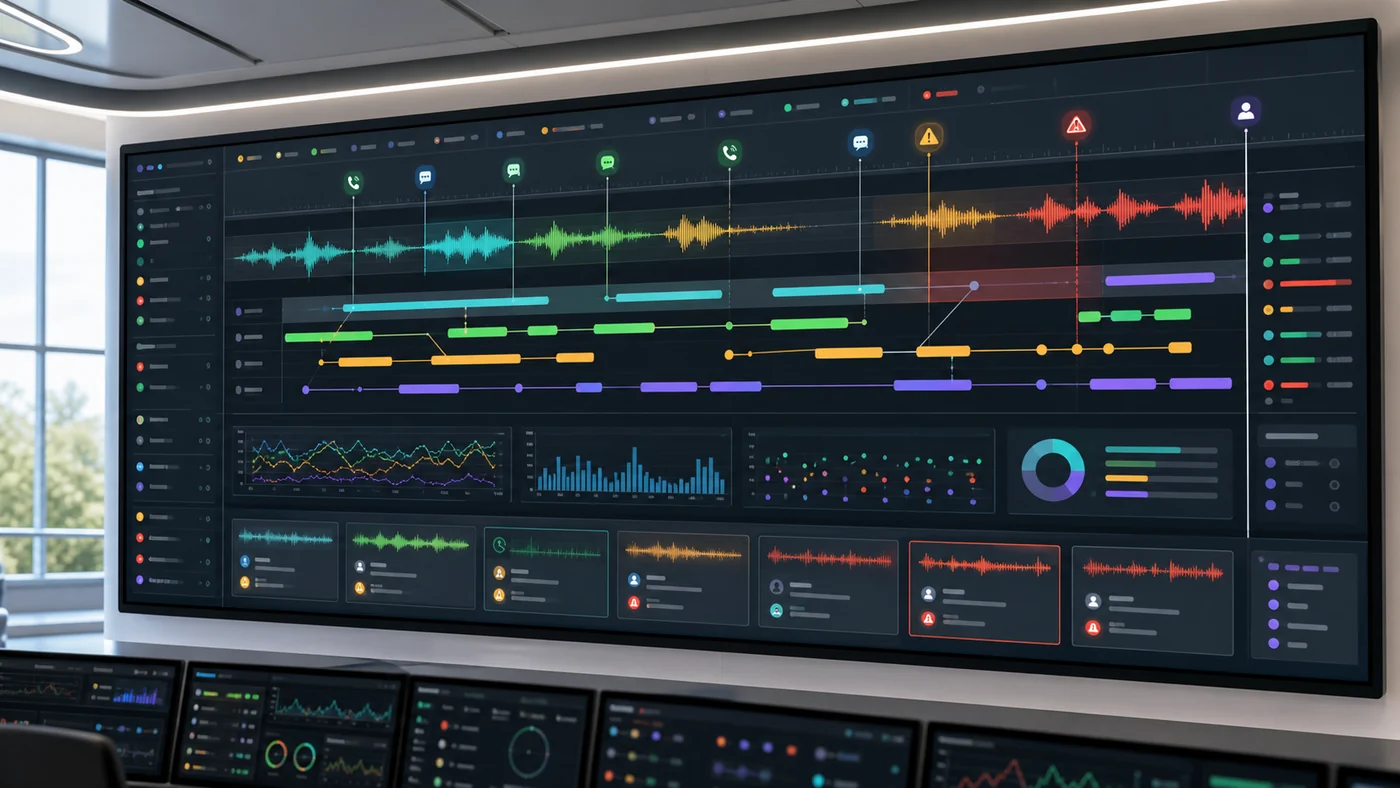
For every call, the buyer should be able to inspect a timeline that connects events across systems. The exact UI can vary, but the underlying data should answer the same questions.
| Event | What to capture | Why it matters |
|---|---|---|
| Call received | Caller ID, number dialed, route, region, queue, business-hour rule. | Confirms the right phone path handled the call. |
| Agent answer | Answer timestamp, greeting version, prompt or workflow version. | Proves which version spoke to the caller. |
| Turn events | Caller speech start/stop, transcript, confidence, agent response start. | Shows whether pauses, interruptions, or mishearing caused failure. |
| Tool events | Tool name, request, response, timeout, retry, fallback. | Business outcome depends on external systems, not only conversation quality. |
| Policy events | Escalation trigger, blocked answer, compliance disclosure, transfer rule. | Shows why the agent did or did not answer. |
| Transfer events | Destination, status, context packet, human answer time, fallback. | Separates successful warm transfer from blind routing. |
| Post-call events | Summary, structured fields, disposition, webhook delivery, QA status. | Staff need reliable output after the call. |
| Cost events | Carrier, STT, model, TTS, platform, recording, and overage line items. | Helps teams compare cost by resolved outcome. |
The important part is correlation. A transcript without the tool event is incomplete. A transfer count without the transfer packet is incomplete. A cost total without outcome is incomplete.
Minimum Dashboard
A useful dashboard should show:
- Total calls
- Completed workflows
- Transfers
- Failed calls
- Average and worst-case latency
- Tool failures
- Top intents
- Longest calls
- Summary corrections
- Cost per completed workflow
- Calls requiring replay
- Compliance-sensitive calls
Do not stop at automation rate. A high automation rate can be bad if urgent callers are trapped, summaries are wrong, or humans receive no context.
Alert Rules
Before launch, define alerts for the failures that need same-day action:
| Alert | Trigger example | Owner |
|---|---|---|
| Call setup failure | Failed call setup rate exceeds threshold for a route or number. | Telephony or platform owner |
| High silence | p95 caller-stop to agent-audio time exceeds the target. | Voice workflow owner |
| Tool timeout spike | Calendar, CRM, ticketing, or reservation tool fails repeatedly. | Integration owner |
| Transfer failure | Human transfer fails or routes to voicemail above threshold. | Operations manager |
| Summary correction spike | Staff mark summaries or structured fields wrong. | QA owner |
| Compliance filter | Sensitive calls appear without expected disclosure, retention, or access control. | Compliance owner |
| Cost anomaly | Cost per completed workflow jumps above expected range. | Finance or operations owner |
Alerts should be tied to owners. A dashboard full of red indicators is not observability if nobody has authority to fix the underlying issue.
Debugging The Worst Call
The observability test is simple: can the team explain the worst call from yesterday?
The review should answer:
- Did the phone route connect cleanly?
- Was the audio good enough?
- Did STT hear the caller correctly?
- Did the agent choose the right intent?
- Did the tool call return on time?
- Did the agent speak truthfully during the wait?
- Did transfer happen when it should?
- Did the human receive useful context?
- Was the final summary actionable?
- What change prevents the same failure?
If the team cannot answer those questions, the agent is not observable enough.
QA Sampling Model
Voice-agent QA should mix rule-based review with human judgment. A practical review sample includes:
- All failed tool calls
- All failed transfers
- All urgent or sensitive intents
- All calls longer than the expected duration
- All caller complaints or staff escalations
- Random successful calls from each workflow
- New prompt, tool, or routing versions after every release
For each reviewed call, score conversation accuracy, caller experience, policy compliance, summary quality, tool result, handoff quality, and next-step clarity. The evaluation scorecard can be adapted into this QA form.
For teams turning this into an operating process, use the voice agent testing and QA stack to connect pre-launch scenarios, regression evals, production monitoring, and weekly review into one loop. Use Best Voice Agent Testing Tools if the team needs to choose between Hamming, Vapi-native evals, Retell analysis, and framework-level tests.
Evidence Artifacts
Every evaluated vendor should be able to show:
- Call event timeline
- Recording or recording policy
- Transcript
- Turn-level timestamps
- Tool-call request and response
- Transfer event and destination
- Summary and structured fields
- Failure reason
- Cost trace
- Export path
For regulated workflows, also request retention settings, access controls, deletion process, and audit exports.
Vendor Evidence To Request
Ask each vendor to show one successful call, one failed call, one transferred call, and one tool timeout. The review should include:
| Evidence | Why it matters |
|---|---|
| Call timeline | Shows route, turn timing, and event sequence. |
| Recording or replay policy | Shows whether the team can audit caller experience. |
| Transcript with timestamps | Shows whether the agent heard the caller correctly. |
| Tool log | Shows business-system reliability and failure handling. |
| Transfer packet | Shows whether staff can continue without repeat questions. |
| Post-call analysis | Shows whether summaries, dispositions, and fields are trustworthy. |
| Export path | Shows whether QA and analytics can leave the vendor UI. |
Retell’s public docs around webhooks and post-call analysis, Vapi’s docs around calls, tools, and debugging, and carrier docs around media streams are useful references for what evidence can exist. The buyer still needs proof from the vendor’s demo account or pilot, not only public documentation.
Voice Quality Signals
Voice quality is not only MOS score or audio clarity. For AI agents, monitor:
- Background noise impact
- Accent and language handling
- Spelled names and addresses
- Caller barge-in
- Agent talking over the caller
- Long silence during tool calls
- Repeated confirmation loops
- Misheard numbers
- Low-confidence handoff behavior
The best voice agents recover gracefully when audio is imperfect. The worst ones sound confident while writing bad data.
What To Instrument By Vendor Type
Different vendor types expose different evidence. Set expectations accordingly:
| Vendor type | Minimum observability expectation |
|---|---|
| Packaged receptionist | Call list, recording/transcript policy, summaries, missed calls, appointments/leads, transfer outcome, staff correction loop, and simple cost reporting. |
| Builder platform | Workflow version, prompt/tool changes, test runs, call analysis, failed paths, transfer context, webhooks, and exportable outcomes. |
| Developer platform | Assistant version, tool events, webhook delivery, call details, latency timing, retries, post-call analysis, and API access. |
| Programmable voice stack | Call-control events, SIP/number route, media stream status, recording, call quality, custom logs, and incident alerts. |
| Contact-center deployment | Queue-level reporting, supervisor review, role access, QA scoring, repeat contact, agent handoff, and rollback evidence. |
This prevents a common mismatch: buying a packaged tool while expecting raw infrastructure logs, or buying infrastructure while expecting turnkey operations.
Operations Review Rhythm
For the first week, review daily:
- All failed workflows
- All urgent transfers
- All long calls
- All tool failures
- Random sample of successful calls
For the first month, review weekly:
- Top failed intents
- Summary correction rate
- Transfer reasons
- Staff trust score
- Cost per completed workflow
- Prompt/tool/routing changes made
Observability is useful only if it changes operations. A dashboard nobody reviews is decorative.
Data Warehouse And Export Questions
Teams with more than a few hundred calls a month should ask how call data leaves the product. Useful exports include:
- Call metadata by number, route, queue, intent, and outcome
- Transcript and summary fields
- Tool-call status and latency
- Transfer destination and result
- Cost by call and workflow
- QA review status and reviewer notes
- Prompt or workflow version
- Compliance flags and retention status
For larger buyers, the goal is not to replace the vendor dashboard. The goal is to join voice-agent data with CRM, support, revenue, staffing, and customer-experience data.
Buyer Questions
- Can we export raw call events?
- Can we see media-stream interruptions?
- Can we tie tool calls to exact call turns?
- Can staff mark a summary as wrong?
- Can failed calls be grouped by root cause?
- Can costs be broken down by call type?
- Can compliance-sensitive calls be filtered?
- Can we replay the decision path without listening to every recording?
- Can we see which prompt, workflow, or assistant version handled a call?
- Can alerts route to the person who owns that failure class?
- Can exports feed our BI, QA, or compliance systems?
- Can deleted or restricted calls be handled differently from ordinary calls?
Red Flags
- Only aggregate call counts are available.
- The vendor cannot show failed calls.
- Transcripts are available but not tool-call logs.
- Transfers are counted but context is not auditable.
- Costs are not tied to individual calls.
- Staff cannot correct summaries.
- There is no export path for QA.
- The vendor cannot separate transfer failure from caller abandonment.
- Prompt or workflow changes are not tied to call outcomes.
- A failed tool call is visible only as a vague bad summary.
Launch Standard
Before launch, define the minimum evidence every live call must produce. At minimum: transcript, summary, outcome, transfer status, tool result, and cost. For infrastructure-heavy builds, add call-control events, media-stream status, and latency timing.
The operator should know what happened without guessing.
Related Buyer Tools
Use the call test script to create calls that expose observability gaps. Use the voice agent testing and QA stack to decide which failures become regression tests. Use the RFP generator to ask vendors for the timeline, transfer, QA, export, and alerting artifacts before procurement.
Buyer FAQs
What should a voice AI dashboard show?
At minimum, it should show calls, completed workflows, transfers, failures, latency, tool-call errors, top intents, summary corrections, replay needs, and cost per completed workflow.
What is the worst-call test for observability?
Pick the worst call from yesterday and ask whether the team can explain the phone route, audio quality, transcript, intent decision, tool call, transfer, summary, and prevention step from evidence.